For creators, bloggers and writers
You talked. You listened. Dalm wrote it down. Now make it a post.
Meetings, calls, interviews, thoughts out loud — Dalm turns them into text. Real stories for your next post, not ideas from thin air.
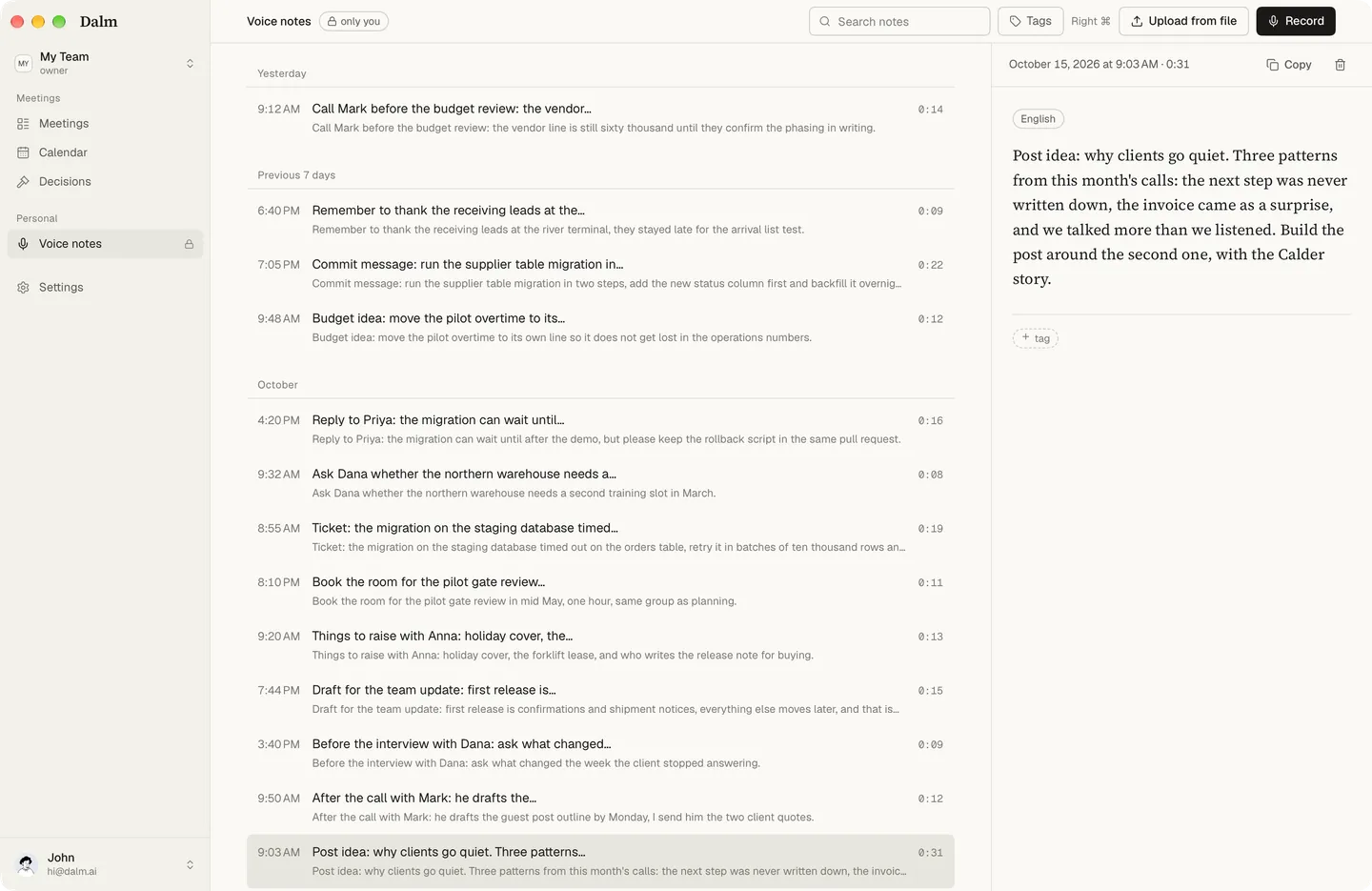
Today, · Voice note: “Post idea: why clients go quiet.”
Dalm records what you say and hear during the day on your Mac — calls, interviews, conversations and voice notes — and turns it into searchable text you can write from. The text syncs to our servers, so it is there when you sit down to write.
Dalm — your companion for everything you say and hear. Be present. Dalm keeps the record.
Your day is the material
An idea arrives on a walk. You say it as a voice note and carry on with your day.
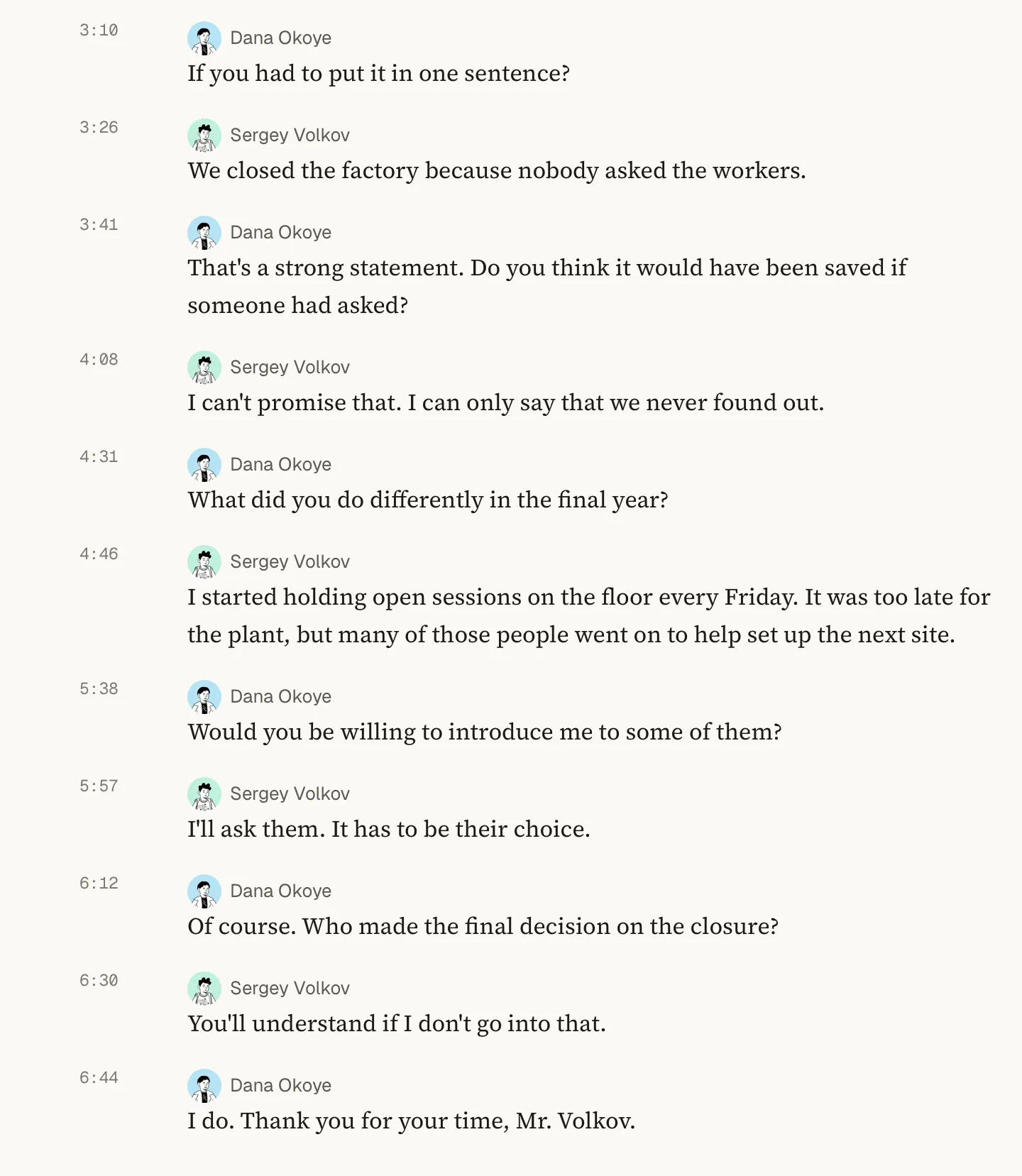
An interview with a guest. Their exact words are in the text, with the name of whoever said them.
In the evening. You open the day’s text and write the post from what actually happened. You write it; Dalm gives you the material.
A review made for your kind of meeting
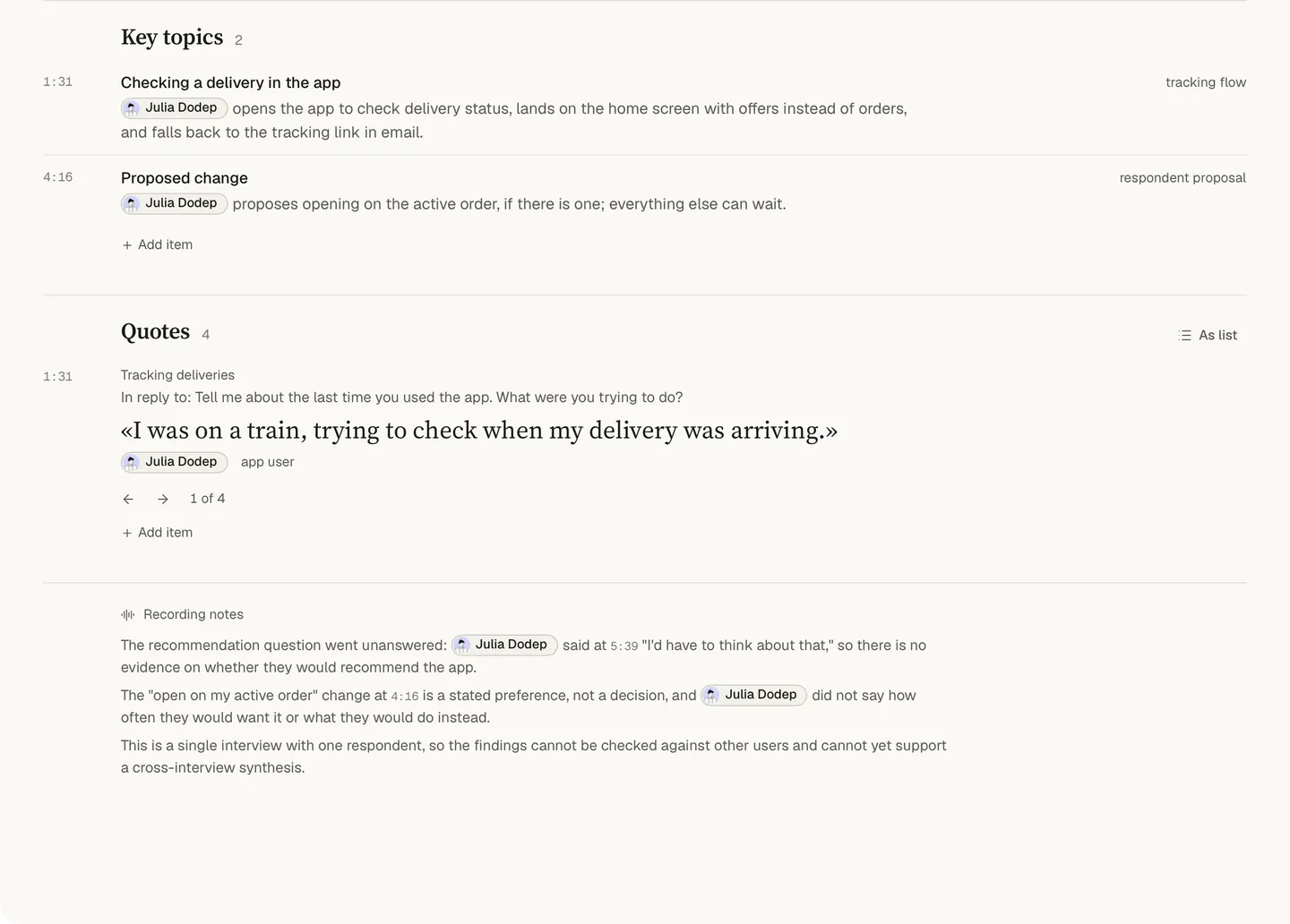
An interview, a brainstorm with a co-author and a call with a client each get their own review. Dalm suggests the meeting type — or lets you pick.
Built on research into 181 kinds of meetings. 70 review formats — each for its kind of meeting.
Dictate the draft where you write
Dictation types into any text field on your Mac: a document, a messenger, a notes app. Every dictation stays in the archive too, so a sentence you said once can be found again. More on dictation.
For journalists and podcasters
- Journalists
- Podcasters
- Interview transcription
What it leaves to you
- Dalm gives you text, not a finished post. It does not plan your posts or publish them.
- A question to Dalm is about one recording at a time.
- It runs only on a Mac with Apple Silicon and macOS 15.0 or newer; the iPhone app is in development.
Questions
- Can I record an interview in person?
- Yes. A conversation at a table is recorded through the Mac's microphone, and the voices are told apart, so the transcript shows who said what. Name the voices once the interview is over. Saying that you are recording is up to you: nothing announces it, because no bot or extra participant is involved.
- Can I export the text?
- Yes. The document written after a conversation can be exported as PDF, Word (DOCX) or Markdown, or passed on through the macOS Share menu. Copy the lines you need straight into your draft, too: the words stay as they were said, with the name of whoever said them.
- Can I dictate a draft into Google Docs?
- Yes. Dictation types into any text field on your Mac, at the cursor: a document in the browser, a messenger, a notes app. Press the key, talk, and the text appears where you were typing. Every dictation also stays in the Dalm archive, so a sentence you said last week can be found again.
- Is my audio uploaded?
- Your audio — recorded or imported — is transcribed on your Mac and never sent to our servers. It's deleted once the text is ready; if processing fails, it stays on your Mac. Files you import are never changed. Your text is synced to our servers and stored in the EU. To create summaries, the text needed for the request is sent to a third-party AI model provider, which may process it outside the EU.
- Which Mac do I need?
- A Mac with Apple Silicon and macOS 15.0 or newer. Dalm runs only on the Mac; there is no web version, and the iPhone app is in development. The same app records calls and interviews, keeps voice notes and takes dictation into any app, and the Free plan covers all three.